iCARE reporting

iCARE without the quarter-end scramble

Cairn fills IRCC’s own iCARE templates from the cases, sessions and classes your staff record all year.

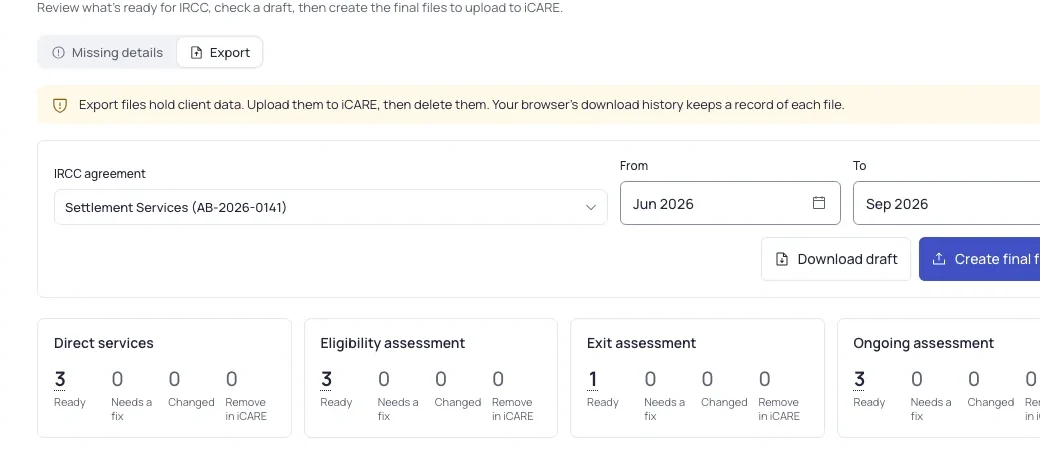
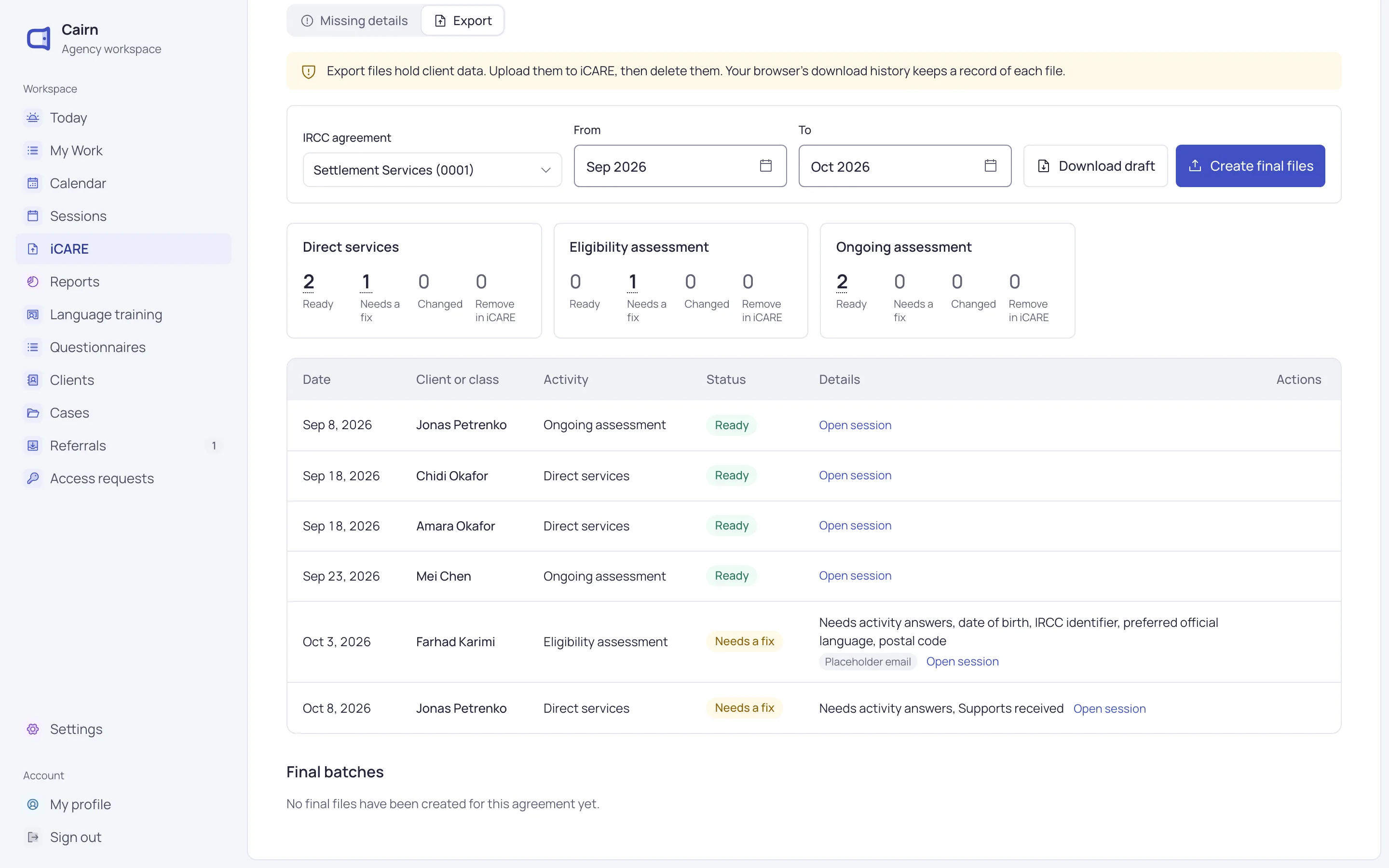
The iCARE export for one IRCC agreement, September to October, with rows marked Ready or Needs a fix and what’s missing.

Record as you go

iCARE details captured with each session

Sessions ask each module’s own questions, so the details iCARE needs are filled in while staff work.

  • The IRCC agreement picked for you when only one fits
  • Language, format and support services for each client
  • Hours rounded to the nearest half hour
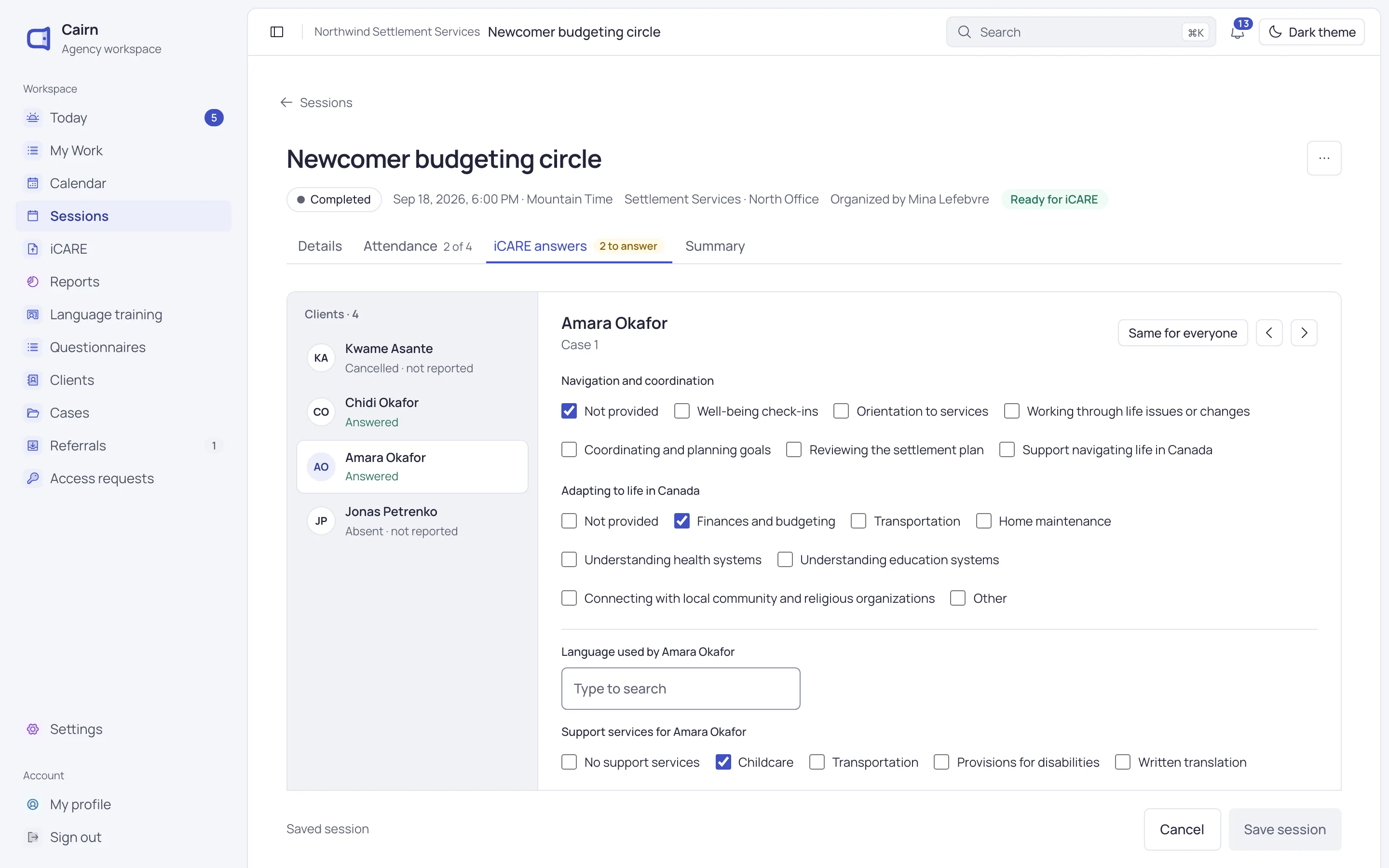
A session’s iCARE answers for one client: language, delivery format, support services and the module’s questions.

Check and export

Fix the gaps, then export

Every row shows Ready or Needs a fix, with a link to the record that fixes it. Then download the files.

  • Draft files as often as you like
  • Final files mark rows submitted, so nothing goes twice
  • Rows changed since you submitted them are flagged
iCARE export totals for each template: rows ready, needing a fix, changed, or to remove in iCARE.

Answer questions

Reports and dashboards for each program

Count clients, cases, sessions or referrals, and split them by program, site, age group and more.

  • Numbers, tables, bar, line and donut charts
  • Compare with the previous period
  • Download as Excel, CSV or PDF
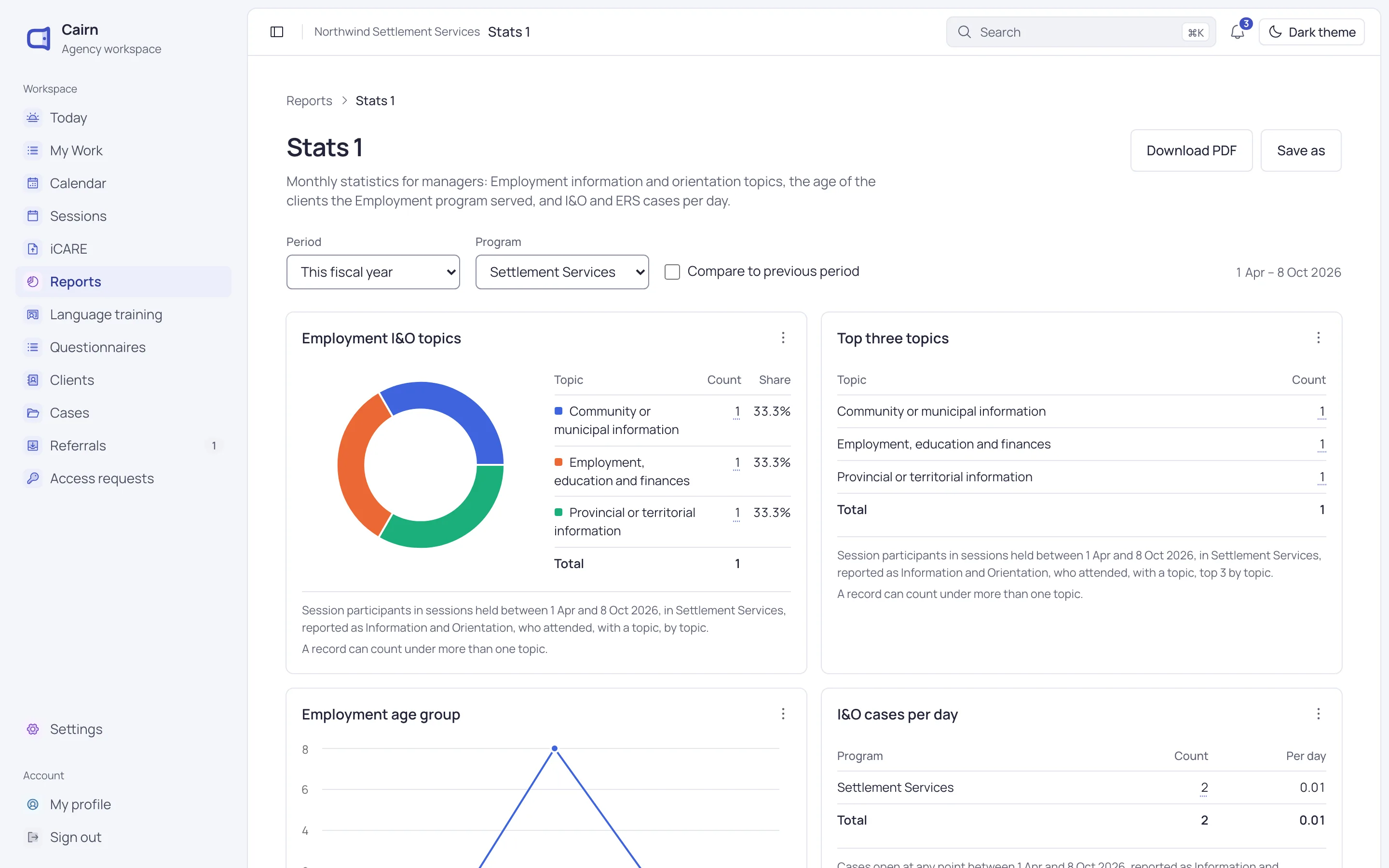
A program dashboard for the fiscal year, with a chart of topics and a chart of clients by age group.

Everything iCARE asks for

From the first session to the final file, Cairn keeps track of what’s ready and what’s been sent.

  • Six modules

    Information and orientation, Case management, Language training, Community connections, Employment-related services and SWIS.

  • IRCC’s own files

    The official templates, with their dropdowns and checks kept, ready to upload to iCARE.

  • Missing details

    One view lists the gaps by month, with links straight to the field to fill in.

  • Late entries

    Anything not yet submitted in the months you pick goes in, so late work isn’t lost.

  • Reopen a file

    If iCARE rejects a file, a manager can reopen it and fix the rows.

  • iCARE’s wording

    Choices are kept in iCARE’s own terms, and languages match iCARE’s list.

Numbers without names

Reports count only what each person may see. Administrators see agency-wide counts, never names.

  • Restricted clients and cases left out for everyone
  • Only program managers create iCARE files
  • Files built when you ask, and never kept in Cairn
  • Saved reports shared with the roles you choose

Questions about reporting

Can’t find what you need? Write to us and a person will answer.

[email protected]
Which iCARE templates does Cairn fill in?

Information and orientation, Case management, Language training, Community connections, Employment-related services and SWIS.

Do we still upload to iCARE ourselves?

Yes. Cairn gives you IRCC’s own spreadsheets, filled in and checked. You upload them to iCARE as you do today.

What if we export the same months twice?

Draft files mark nothing, so download them as often as you like. Final files mark their rows submitted, and later exports leave those rows out.

Can we build our own reports?

Yes. Administrators and program managers can build reports, put them on dashboards and share them with chosen roles.

See Cairn with your own programs

We’ll walk through intake, cases, classes and reporting using the way your agency works.