Online applications

Welcome every applicant in their language

Newcomers apply from a phone in any of 31 languages. Your team reviews, checks for duplicates and accepts them in one queue.

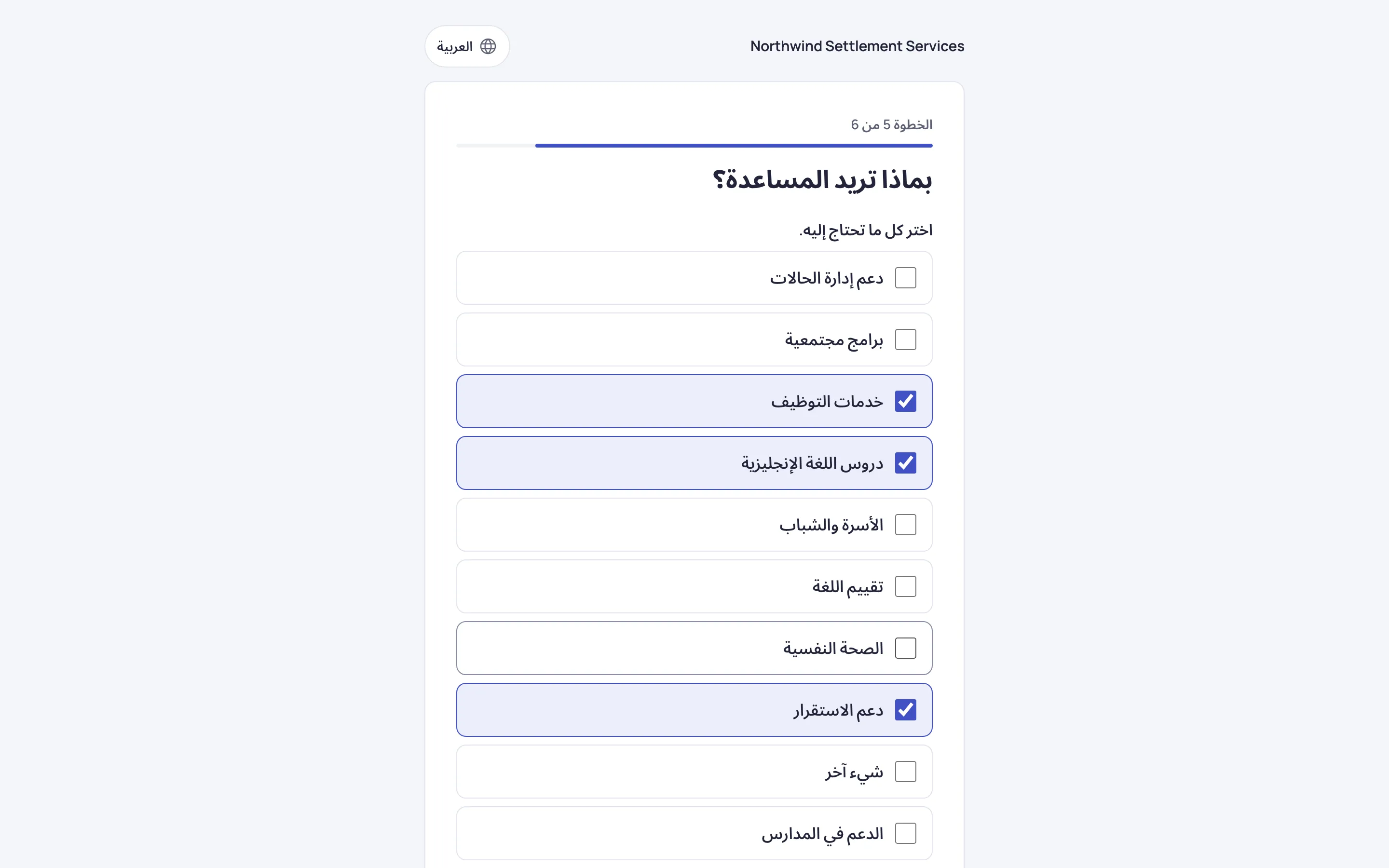
The online application form in Arabic, read right to left, with three requested services ticked.

Apply from home

A form that works on any phone

A few questions per screen, in the applicant’s own language, with a clear consent notice before anything is sent.

  • 31 languages, and your agency picks which to offer
  • Arabic, Farsi, Dari, Pashto, Sorani and Urdu read right to left
  • Applicants choose the services they need
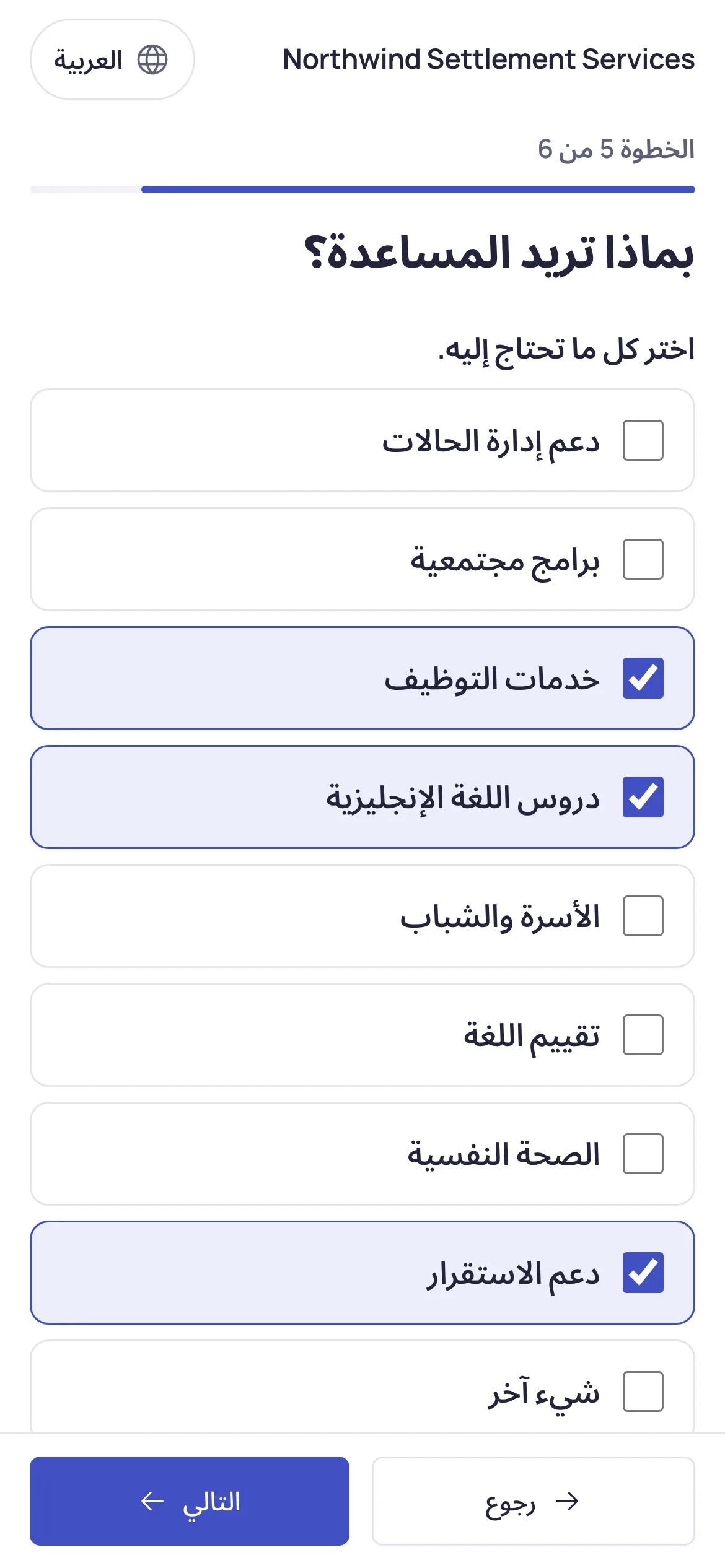
The online application form on a phone, in Arabic, with three requested services ticked.

Review in one queue

Every application in one place, oldest first

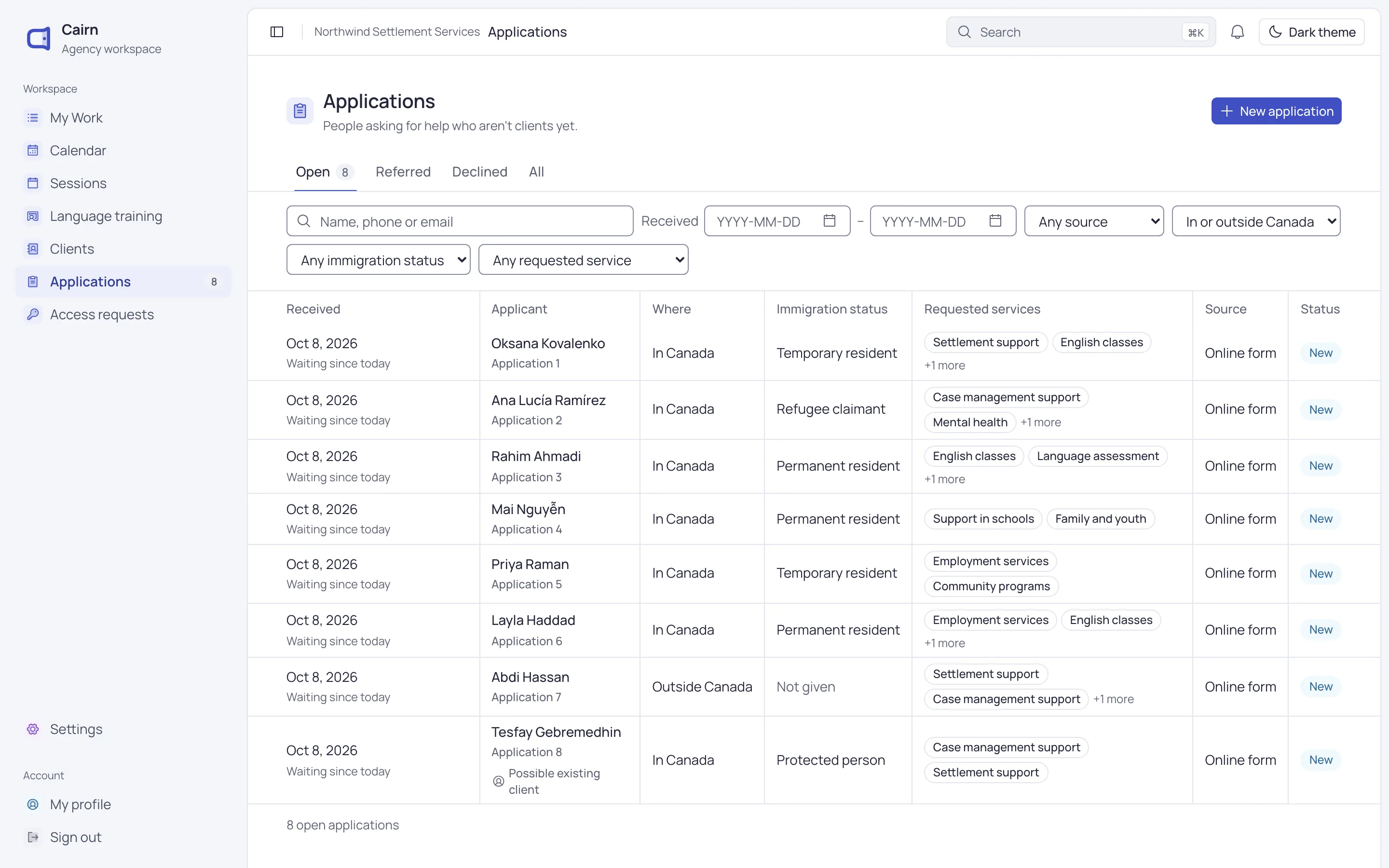
See who applied, what they asked for and how long they’ve waited. Filter by service, source or immigration status.

  • Possible existing clients and repeat applications flagged
  • Open, referred and declined views
  • A count of new applications in the sidebar
The applications queue: eight online applications in several languages, oldest first, with days waiting.

Accept

From application to client in a few steps

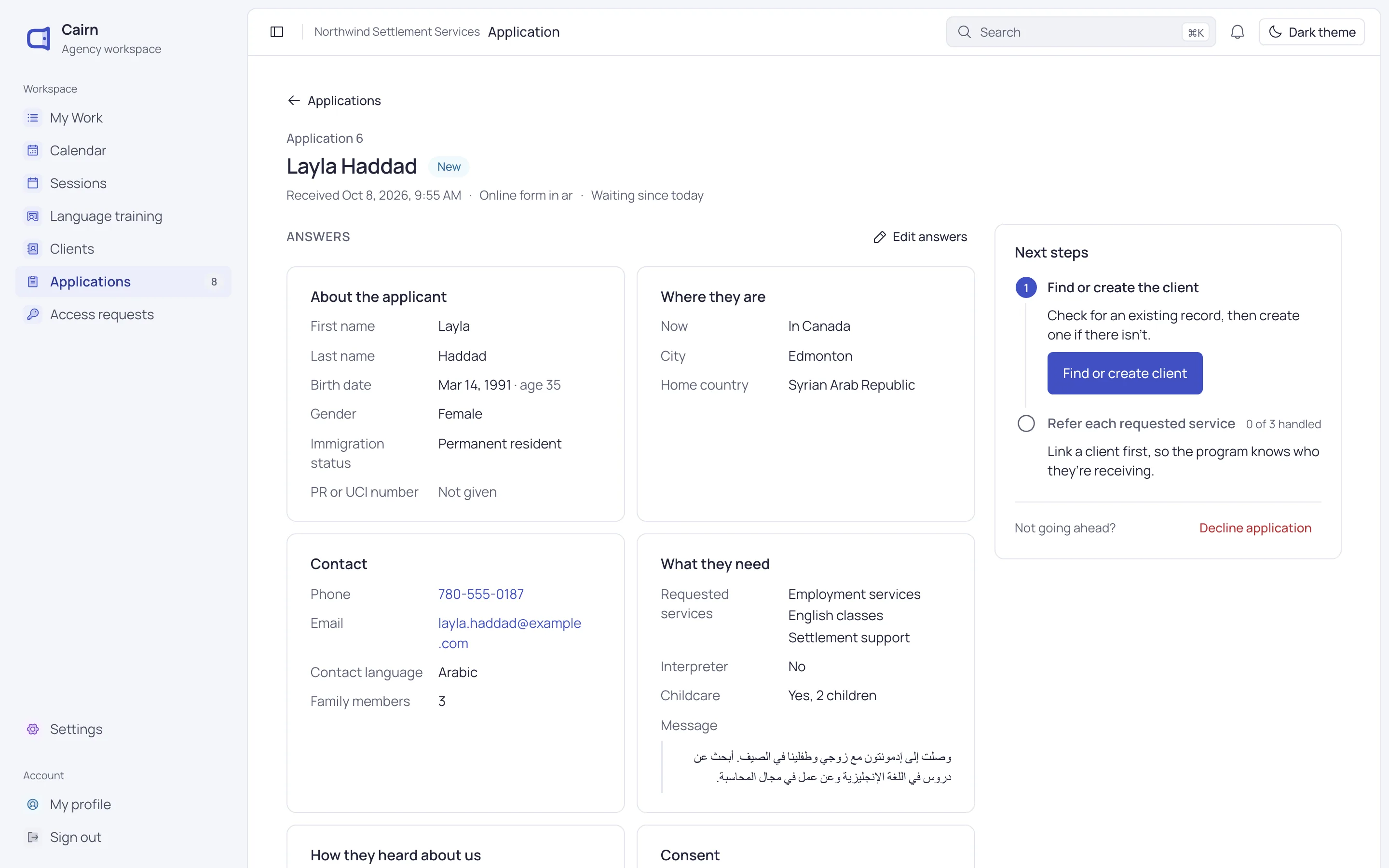
Link the application to a client you already serve, or start a new client with the answers already filled in.

  • Matches by name and birth date, email or phone
  • Refer each requested service to the right program
  • Decline with a reason, and reopen if needed
Layla Haddad’s application open for review, with her answers and the next steps.

A form your agency shapes

Change the wording, add your own questions and make it look like yours, without calling anyone.

  • Your questions

    Reword the core questions and add your own: text, choices, yes or no, dates, numbers and phone.

  • Show if

    Show a question only when an earlier answer calls for it.

  • Your brand

    Logo, colour and font, with colours adjusted so text stays easy to read.

  • Versions

    Drafts save as you go. Publish when it’s ready, and restore any earlier version.

  • Spam protection

    Hidden traps, rate limits and a daily cap keep junk out, with no puzzle for applicants.

  • Eligibility check

    People who don’t qualify see a helpful page, and nothing they typed is kept.

Set up each new client the same way

Guided intake walks staff through six steps, saving as they go. Skip a step and come back to it later.

  • Identity, with a duplicate check first
  • Contact, address, languages and family
  • Immigration details, IDs and consent
  • A referral to the right program

Questions about online applications

Can’t find what you need? Write to us and a person will answer.

[email protected]
Which languages can applicants use?

Thirty-one, including French, Arabic, Ukrainian, Dari, Tigrinya, Spanish, Somali and Chinese. Your agency chooses which ones to offer.

Can we change the questions?

Yes. You can reword and reorder the core questions and add your own. Core questions stay on the form, so every application has what intake needs.

What if someone has applied before?

Cairn flags possible existing clients and repeat applications. You can link the application to the existing client, and their record is never overwritten.

How does Cairn keep out spam?

Hidden trap fields, a minimum time to fill in, rate limits and a daily cap. Admins can also pause the form at any time.

See Cairn with your own programs

We’ll walk through intake, cases, classes and reporting using the way your agency works.