Clients and cases

One file for each family

Contact details, family, documents, cases, notes and sessions together, so whoever picks up the file knows the story.

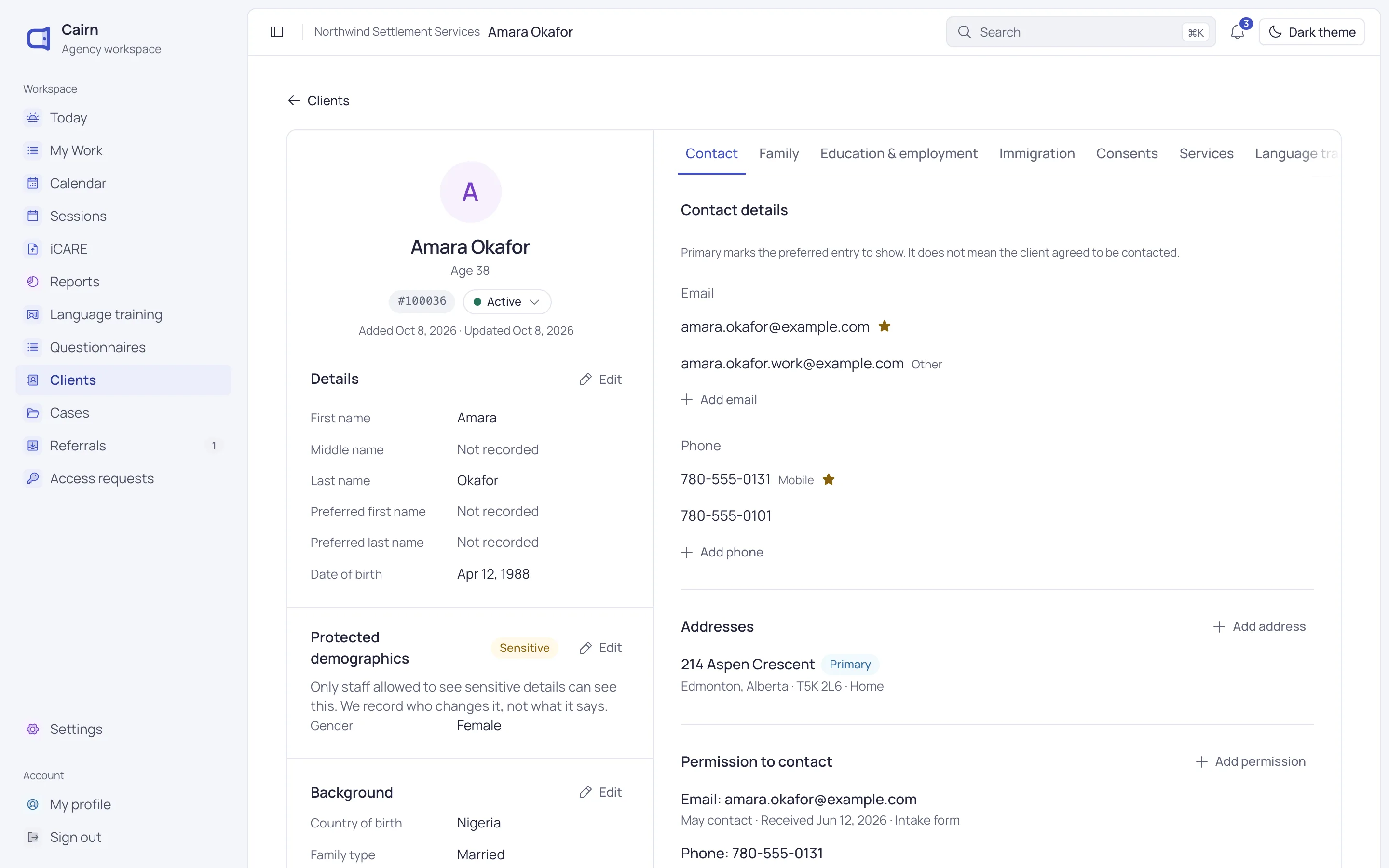
Amara Okafor’s client page, open on her contact details, with her details and background beside them.

Know the family

A client page every program shares

Contact, family, immigration, consents, services and documents sit in one file that every program uses.

  • Family members linked to their own client files
  • Childcare needs noted for each family member
  • Immigration details shown only to staff allowed to see them
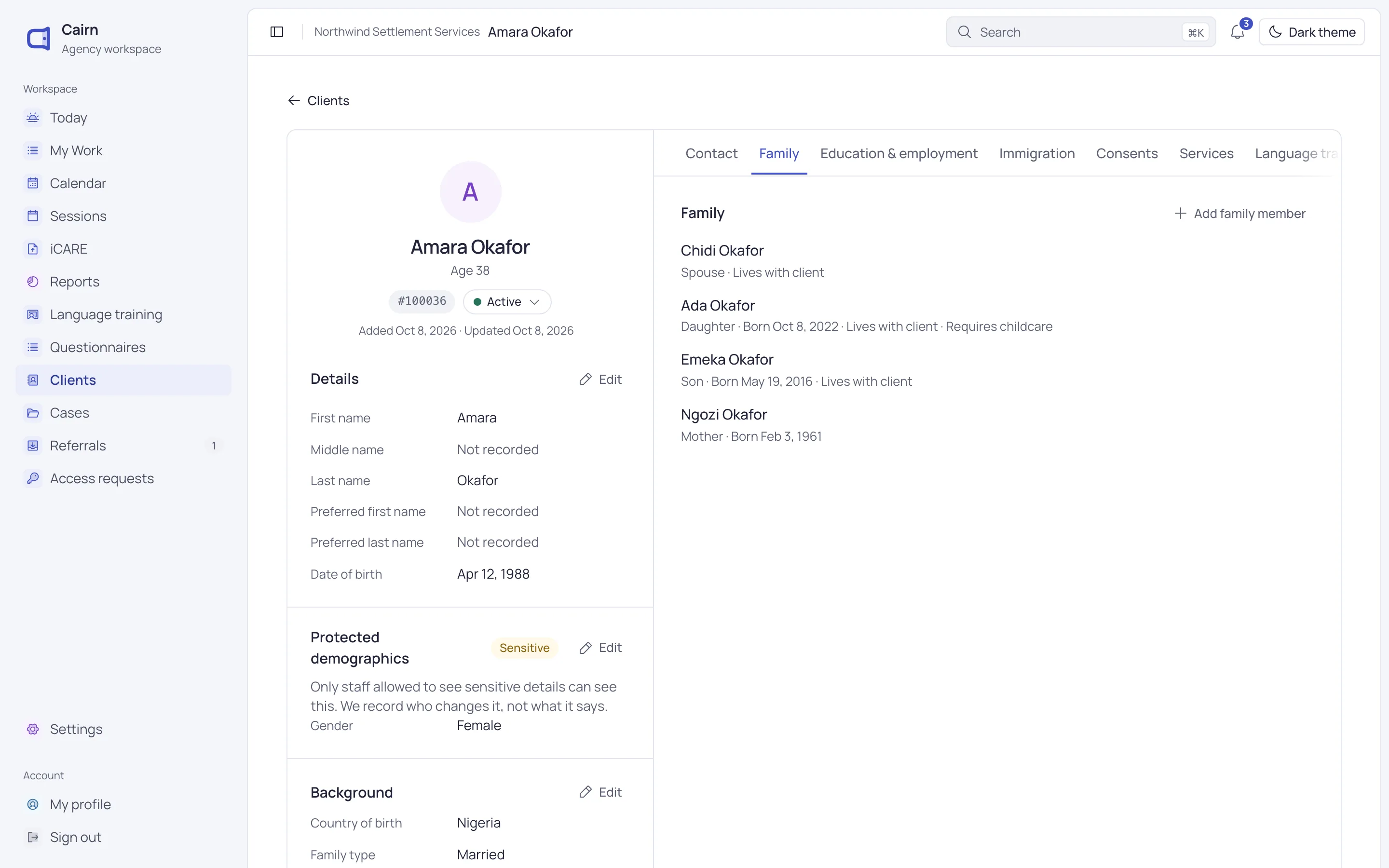
The Family tab on Amara Okafor’s page: her spouse, daughter, son and mother.

Work the case

Cases with notes, sessions and next steps

Each service gets its own case, with a primary caseworker, case notes, sessions and tasks in one place.

  • Notes with date, duration and contact type
  • Every edit to a note kept in its history
  • Open work listed when you close a case
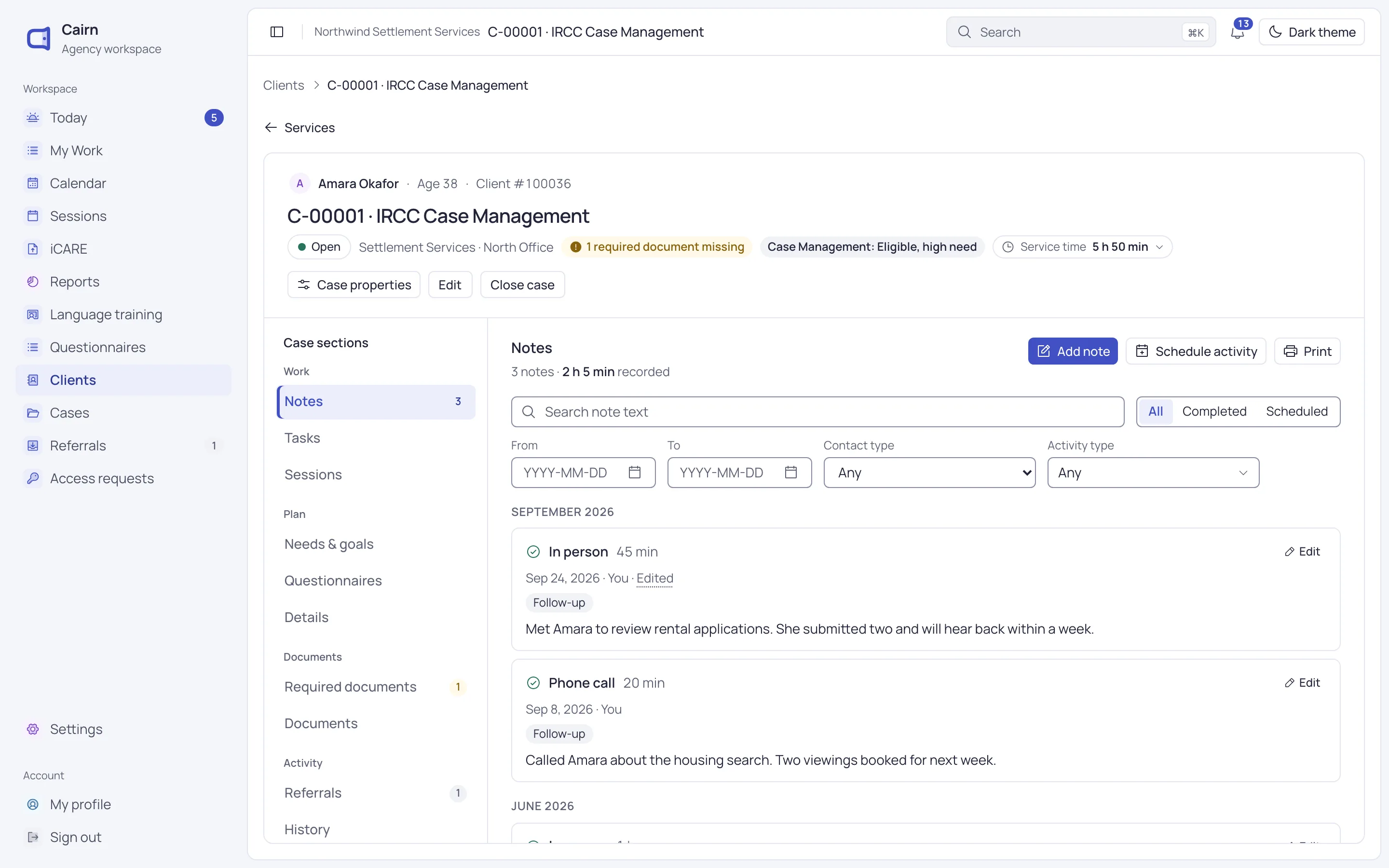
A case management case open on its notes, with each contact’s date, type and note.

Stay on track

Follow-ups that don’t slip

Give a task to a colleague with a due date. It stays on their My Work page until it’s done.

  • Due in a week, a month or on a date you choose
  • Follow up a session participant in one click
  • Cases with no recent contact flagged on Today
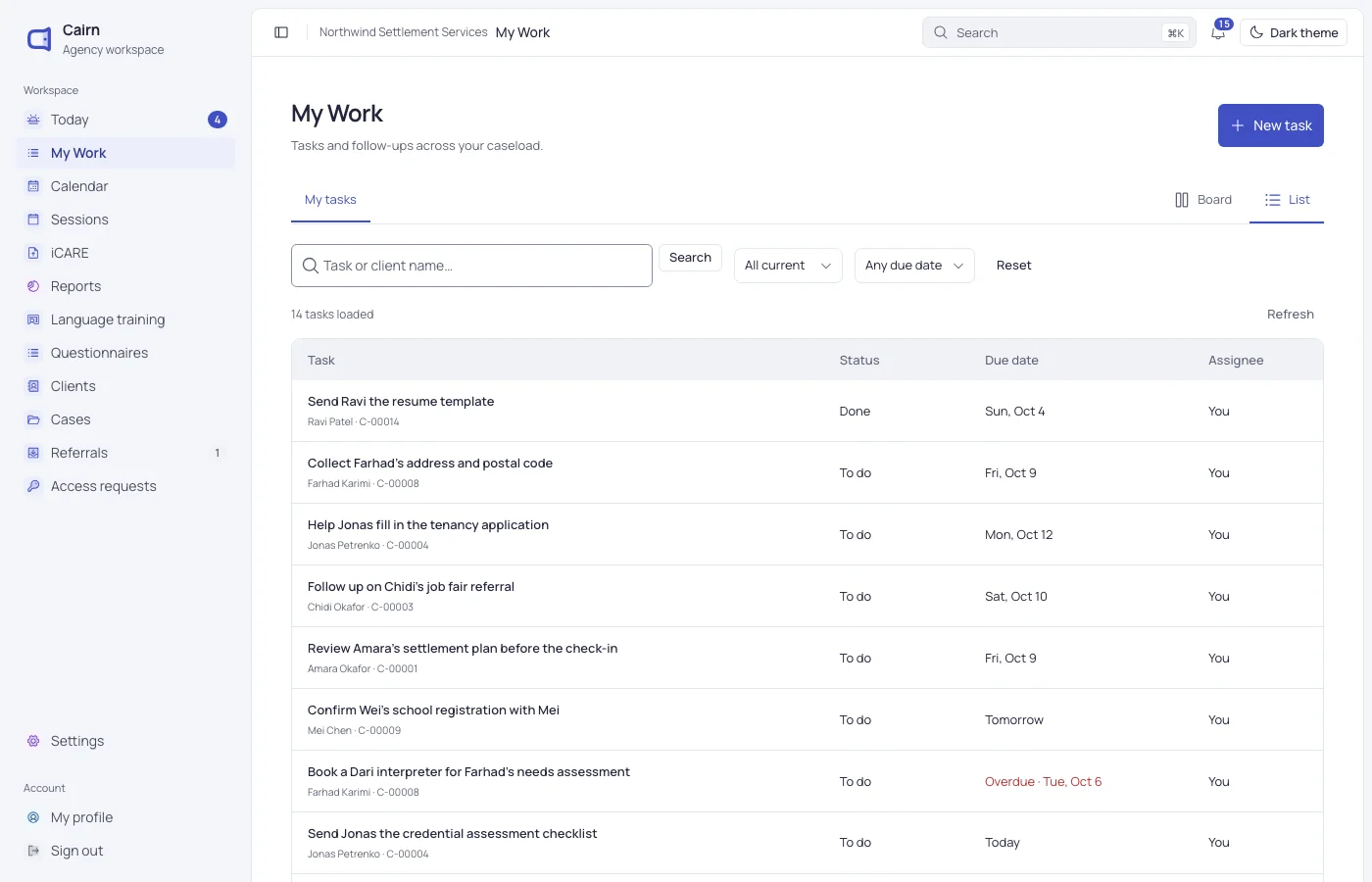
The My Work page, listing follow-ups by due date.

Everything a file keeps

From the first meeting to closing the case, the work builds up in one place.

  • Documents

    PDF and image uploads in your own categories, attached to the client or the case.

  • Required documents

    A checklist for each program on every case, with expiry dates and a missing count.

  • Sessions

    Sessions with one or many clients, with attendance, minutes and a private note for each.

  • Needs and goals

    Needs with priority, status and review dates, linked to the tasks that address them.

  • Assessments

    Assessments from your own questionnaires, kept unchanged once complete.

  • Search

    Press / or Ctrl K to find a client by name, number, email or phone, or a case by number.

Restricted records stay restricted

A caseworker can limit a sensitive case to named colleagues. Others can’t open it, and it stays out of their search results.

  • Cases restricted to the colleagues you name
  • Documents opened only with an approval that expires
  • ID numbers and immigration details hidden by permission
  • Access to records is logged

Questions about clients and cases

Can’t find what you need? Write to us and a person will answer.

[email protected]
Is a client one record across programs?

Yes. Each person is one client in Cairn. The work each program does sits in its own case, under the same file.

Can we limit who sees a sensitive case?

Yes. The primary caseworker can restrict a case to named colleagues, change who is on the list, or lift the restriction.

What documents can we upload?

PDF, PNG and JPEG files up to 20 MB, sorted into categories your agency sets. Staff need an approval to open them.

Can we see what changed on a record?

Yes. The client page has an activity timeline, and notes, tasks, goals and sessions each keep their own history.

See Cairn with your own programs

We’ll walk through intake, cases, classes and reporting using the way your agency works.